
A rule for one situation
By the end, your agent follows one instruction every time a certain situation comes up, and ignores it the rest of the time.
What you need: Neuronz.ai connected to your agent, and a few minutes.
A rule has two parts, and Neuronz.ai keeps them apart:
1. Ask for the rule
Say it in plain words, with the situation and the instruction in one sentence:
make it a rule: whenever you email a client, CC my assistant, [email protected]You should see your agent show you a draft before it saves anything, with the condition separate from the instruction, something like:
Title: Always CC my assistant
Rule: CC my assistant, [email protected], on every email to a client.
When it applies: when emailing a client (I judge this from the conversation).
Save it for this profile only, or for all your profiles?
2. Confirm it
Check the wording, then answer, for example "yes, this profile only" (in the screenshot below, that profile is work). Your agent saves the rule (you may be asked to approve the create_rule tool), and it is active from that moment. Because you said yes in the conversation, nothing else needs approving.
If your agent ever suggests a rule on its own, without you asking, it is saved as proposed and does nothing until you approve it.
3. See it on the dashboard
Open Rules in the dashboard. Your rule is listed with when it applies and its scope. You can edit the text or the condition here at any time.
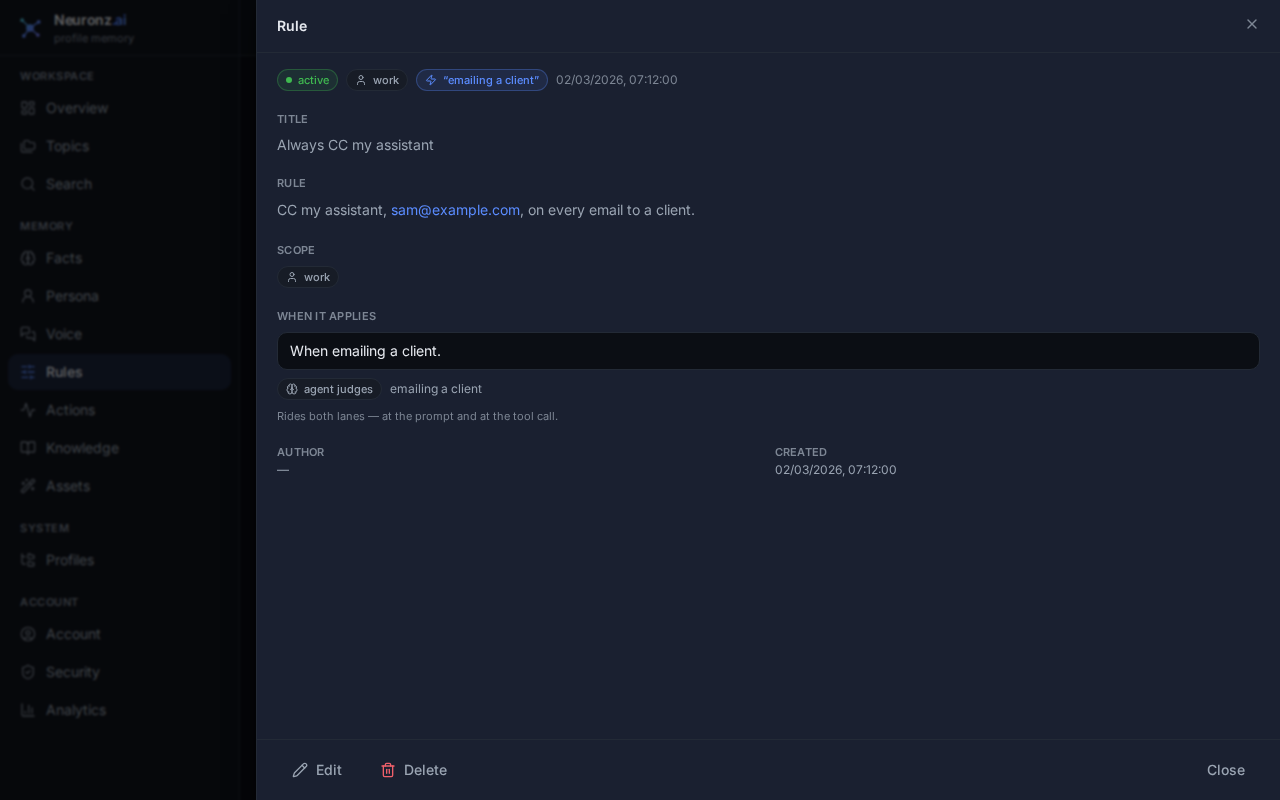
4. Test it
First, a situation where it applies.
In Claude Code or Oh-My-Pi, just ask:
draft a short email to a client reminding them their invoice is overdueIn a chat, rules are not loaded on their own, so ask Claude to read them first:
read my rules first, then draft a short email to a client reminding them their
invoice is overdue
You should see the draft list [email protected] in CC. You may see your agent call read_rules before it writes.
Then a situation where it does not apply:
draft a short email to my colleague Alex asking to move our Friday meetingYou should see an ordinary email with no CC. Alex is a colleague, not a client, so your agent leaves the rule aside.
What just happened
Your rule's condition is a sentence only your agent can judge from the conversation, so Neuronz.ai gives your agent the rule's title, and your agent reads the rule and checks its condition against the conversation before applying it. How often that happens depends on your harness:
- Claude Code (terminal or the desktop app's Code tab) checks your rules on every message, and again right before it acts, such as just before it sends that email with a tool.
- Oh-My-Pi checks them on every message.
- A chat does not load rules on its own and nothing checks them before a tool runs. Claude follows a rule only after reading it, so say "read my rules first" when it matters. See using Neuronz.ai in a chat.
Working in code? Use a check instead
A condition can also be a plain yes-or-no check that Neuronz.ai tests itself: the tool about to run, the file being edited, the git branch. For example:
make it a rule: run the migration tests before finishing, when the file being
edited is under db/migrations/
Your agent stores File path matches db/migrations/** as the condition. On every other file the check is false, and the rule is left out without costing your agent any attention. Checks on tools and files are made right before a tool call, which only Claude Code does. Oh-My-Pi has no such moment, so a rule with only this kind of check never reaches your agent there.
For a rule that must never be missed, set its Delivery priority to Pinned — priority delivery on the dashboard: it skips its judgements and applies wherever its checks hold. All the condition types, pinned rules and how rules reach your agent are in Rules.
Next: Your voice, then a message.