
Your voice, then a message
By the end, your agent writes the way you do: one voice when it answers you, another when it writes to a colleague as you, and a third for incidents.
You need: Neuronz.ai connected to your agent, and a few minutes.
A voice is stored as a register, which has two parts:
A condition can use these settings:
| Setting | What it decides |
|---|---|
| Direction | Whether the agent is writing to you or writing as you to someone else |
| Audience | A specific person, or a group such as "clients", from your people |
| Act | The kind of message: a Slack message, an email, a pull request or a review of one, an issue comment, a Notion page, a commit message, a document, or a chat reply |
| Language | For example French or English |
| Situation | A moment you name, such as an incident or a handoff |
| Model | Which AI model is writing, for corrections that only one model needs |
In Claude Code and Oh-My-Pi, the agent sets up registers on its own once you describe how you write. In a chat, start each request with "save to Neuronz.ai" and approve the tools when Claude asks: add_atom_group, add_voice_atom and add_register.
1. Your everyday voice
when you answer me: no greetings, no recap at the end, short paragraphs. use this in all my profiles.You should see a one-line summary: a group with three claims, plus a condition that applies when the agent writes to you, in every profile.
2. A voice for one colleague
when you write to Marie as me: keep it informal, use her first name, and always open with the ask.You should see the agent add Marie to your people if she isn't there yet, then save a register whose condition names her. Because it names a person, it stays in the profile you are in.
3. A voice for Slack
for my slack messages: lowercase, no bullet points. apart from that, write the way you write to me.You should see a new group that inherits your everyday group, so those claims are shared rather than copied, and a condition for Slack messages written as you.
Now ask for a draft:
draft a slack message to Marie asking for the Q3 numbers by fridayYou should see an informal, lowercase message that opens with the ask. Two registers apply: the one for Marie and the one for Slack, which brings your everyday claims with it. If two registers ever disagree, the one with more settings filled in wins; if they are tied, your agent is told about the clash and the group declared first wins.
Sending the message needs your agent to already have access to that app (Slack, email, WhatsApp). Setting that up is outside this tutorial; drafting works without it.
4. A voice for one situation
during an incident: status first, then impact, then next step. no jokes.You should see a register whose condition is the incident situation. Your agent cannot detect an incident on its own, so this register is listed by name only. When the agent judges that an incident is under way, it fetches this voice.
5. See it and edit it
Open Voice on the dashboard. Each group shows its claims, what it inherits from, and the conditions that apply it. Under Try a situation, pick settings and preview what would apply.
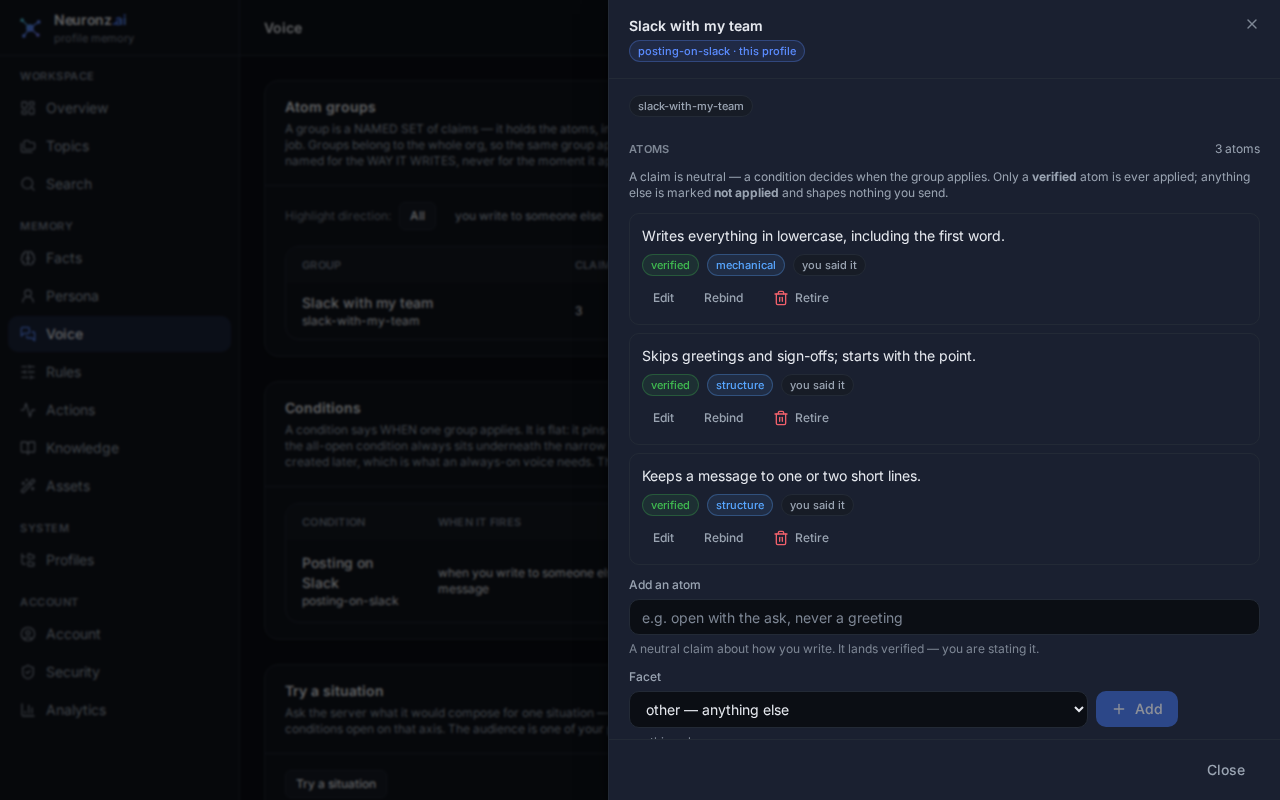
You can edit or retire a claim and change a condition's scope from this page.
6. Correct a draft
When a draft sounds wrong, say so:
too formal, drop the "hope you're well"In Claude Code and Oh-My-Pi, the agent saves this as a new claim in the right group. In a chat, add "save that to my voice". If the agent only noticed a pattern you never stated, it asks you once before using it.
What just happened
You built four registers on top of each other. In Claude Code and Oh-My-Pi, every prompt carries a short note pointing the agent at your voice, and the agent fetches it with get_resolved_voice before writing. A chat gets no such note, so ask: "use my Neuronz.ai voice".
Next: Learn a code repository.