
Remember once, pick up later
By the end, you will have told Claude something once and had it answer from memory in a new conversation, and come back to a piece of work and picked it up where you left it.
You need: Neuronz.ai connected to your agent.
1. Tell it something once
Say something Claude could not know on its own — a fact about your work that you would otherwise repeat every time:
textremember that our client Dupont & Fils closes its books on 31 March, not 31 December, and files VAT every quarterClaude saves it. In a chat, it asks your permission first: approve
fact_add, or choose Always allow so it stops asking.Open a new conversation. In Claude Code or Oh-My-Pi, start a new session in the same folder. In a chat, open a new chat — on another device, if you like.
Ask:
textwhen is the Dupont year-end?In Claude Code or Oh-My-Pi, that is all: before every message, Claude is told what it already knows that matches, so it answers 31 March without being asked to look.
In a chat, Claude only checks your memory when you ask, or when it decides to. If it answers from general knowledge, say so:
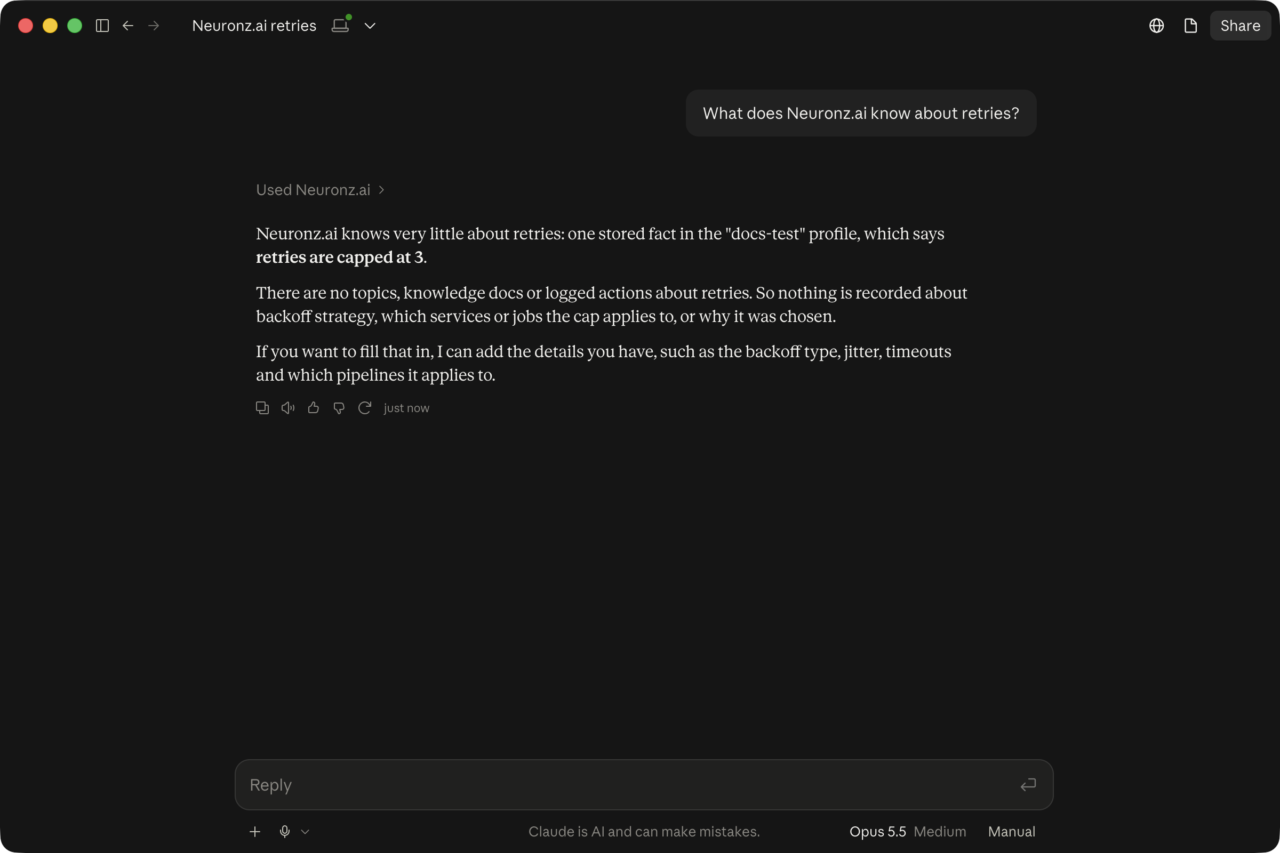
textcheck Neuronz.ai: when is the Dupont year-end?You should see it look the fact up and answer from it:
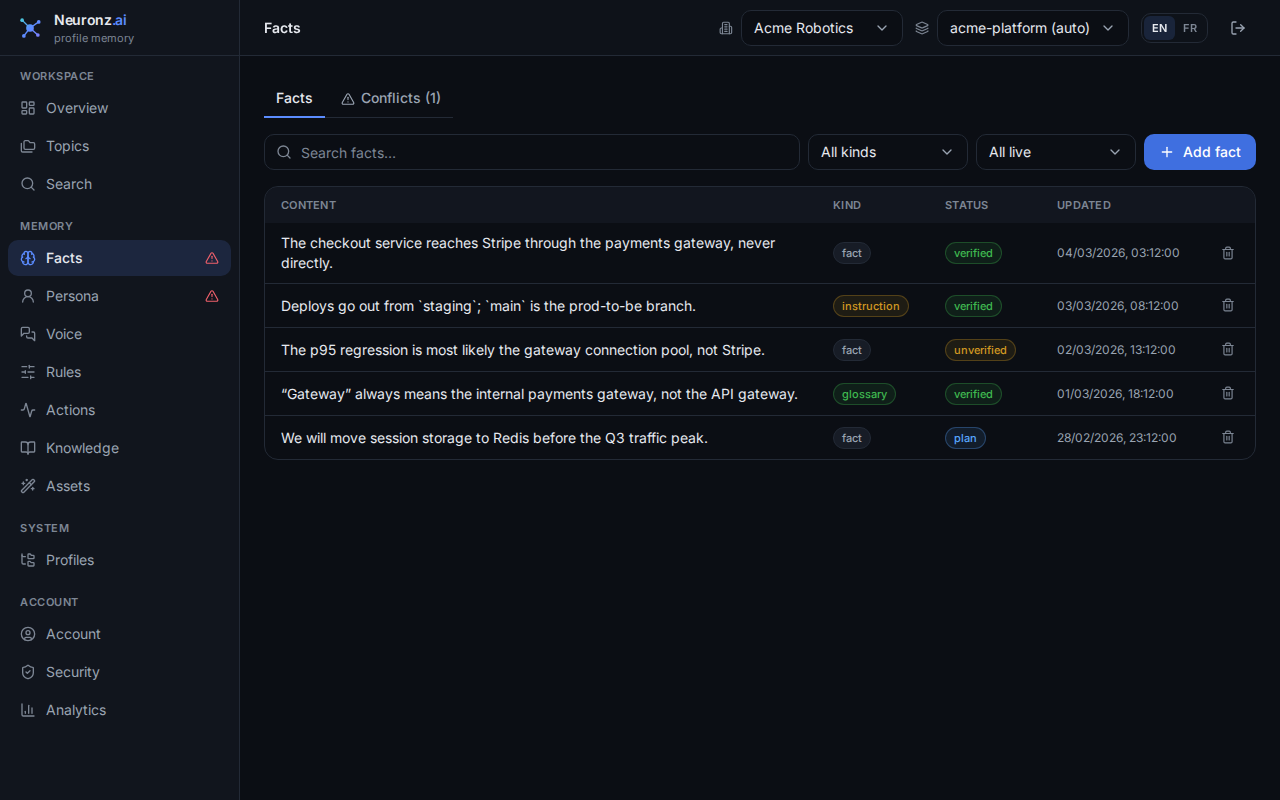
What it saved is on the Facts page of the dashboard, where you can correct it or delete it:
Working on code?
The same works for anything about a project the code does not say: "remember that staging is reset every Monday night".
2. Come back later and ask "where were we?"
Work on something real for a while — a month-end close, a proposal, a bug.
Make sure the session was saved:
In Claude Code or Oh-My-Pi, it saves on its own. At natural stopping points Claude takes one extra turn to save what was learned, decided and left open.
In the Claude desktop app's Code tab, nothing is saved after you close a session, so before closing one you care about, type
/neuronzai:capture.In a chat, nothing is saved unless you ask. Before you leave, say:
textcapture this conversation to Neuronz.ai
The next day, open a new conversation (same folder, or any chat) and ask:
textwhere were we?You should see Claude list what was done, what was decided and what was left, instead of starting from zero. In Claude Code and Oh-My-Pi, a question about past work widens the search, and Claude is told to check the record before it says something was not done. In a chat, add "check Neuronz.ai" if it does not look on its own.
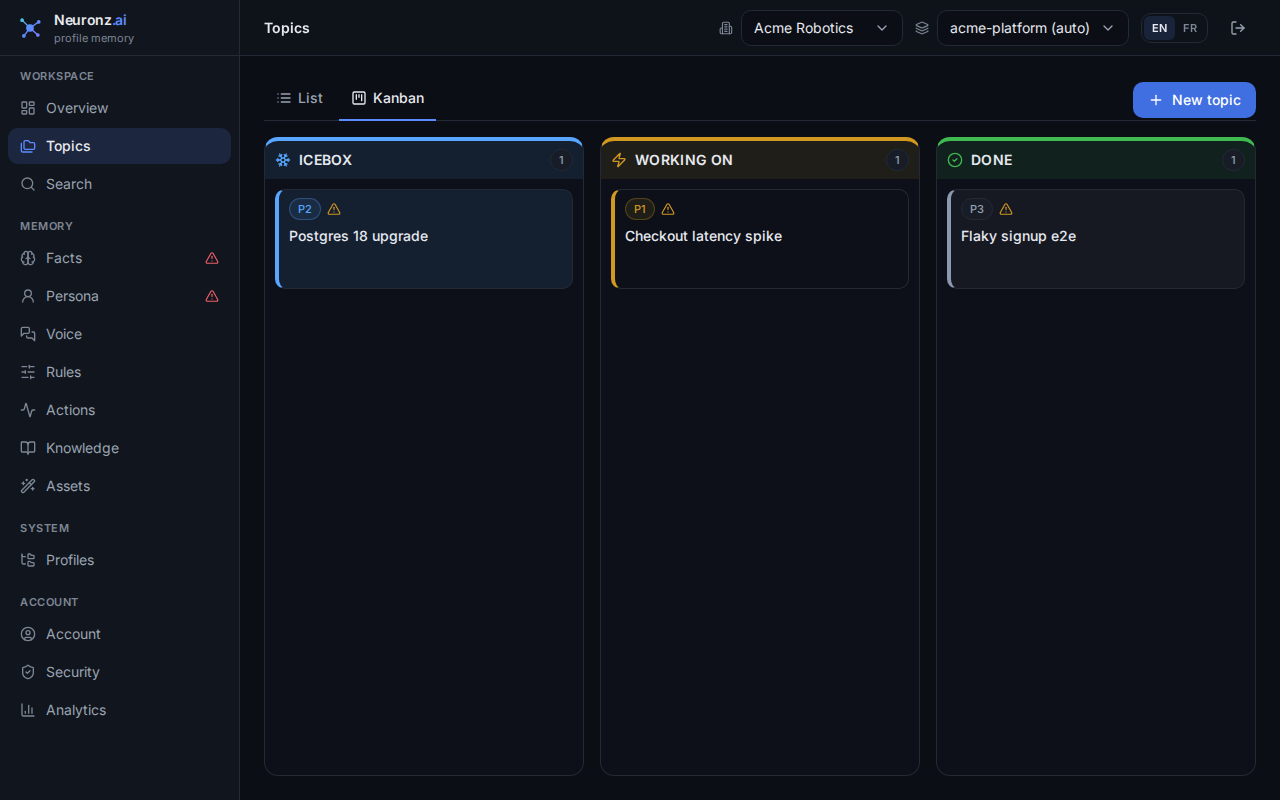
Longer pieces of work can be grouped into topics, which you can follow on the dashboard's board:
What just happened
Each thing worth keeping became one small entry in your memory, in the profile you were working in. Any later conversation in that profile can find it — in Claude Code and Oh-My-Pi automatically, in a chat when you ask. Your memory is not tied to a model: switch models and it is still there.
More depth: persistent memory, recall before every message, saving a session on its own and topics.