
Learn your business from your company wiki
By the end, a profile knows your business the way a colleague who has been there from the start does — clients, pricing, processes, who does what — taken from your company wiki, and a brand-new conversation answers business questions from it.
You need:
- Neuronz.ai connected to your agent;
- an agent that can already read your knowledge base, through whatever connection your harness has for it — for example Notion, Confluence, Google Drive, SharePoint, a GitHub wiki, or a folder of Markdown or exported documents on your computer. Setting that up is outside this tutorial;
- a profile for the business. This page uses
acme; see Split your memory into profiles.
This page uses a company wiki in Notion as the example. Put the name of your own source wherever Notion appears.
1. Use the business profile
In a chat, type switch to the acme profile. In Claude Code or Oh-My-Pi, start the session in your business folder, for example ~/acme; a folder nobody has mapped gets a profile named after it.
2. Fill the profile
In Claude Code or Oh-My-Pi, type:
/neuronzai:init-profile the company wiki in NotionApprove the Notion and Neuronz.ai tools when asked. A large wiki takes a while: it first checks that it can reach the wiki, then reads every page, then tests itself. You should see a report listing what it read, what it skipped and why (a source it could not reach is named, with what it needs), how many records it wrote of each kind, and a quiz score.
In a chat, there is no /neuronzai:init-profile — plugin commands do not exist there. Ask in plain words instead:
Read the Clients and Pricing sections of our Notion wiki in full. Save to Neuronz.ai
what a new colleague would need: single facts as facts, whole processes as knowledge
docs, and the people with what they own. Skip anything that changes week to week,
and never save passwords or keys.
Claude does what you ask with the Notion and Neuronz.ai tools, but without the command's built-in checklist and self-test. Go one part of the wiki at a time, so each fits in one chat.
What it keeps, and what it skips
It reads everything and stores only what is useful:
- facts — single things worth knowing: a client's payment terms, what an internal term means, your standard day rate;
- knowledge docs — whole reference material kept in full: the onboarding process, the quoting checklist, the refund policy;
- people — who does what, and how they work, on your social map;
- proposed rules — "always…" and "never…" from the wiki wait for your approval on the Rules page before they apply.
It skips status that changes daily (this week's task owner, a deal's current stage), boilerplate, and secrets: a page holding a password is recorded as where the password lives, never the password itself.
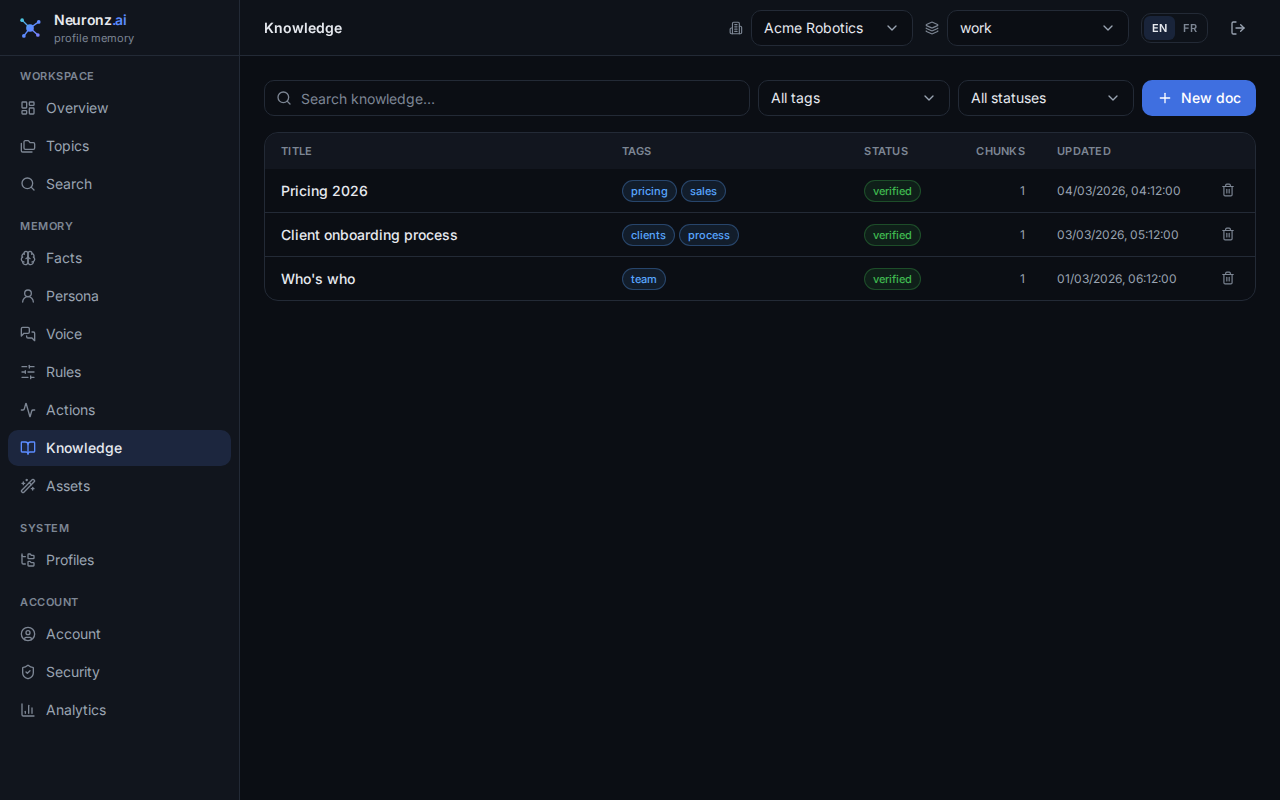
3. Test it
Open a new conversation in the same profile, and ask something only the wiki knows:
What do we charge a new client for onboarding, and who signs off the quote?In Claude Code and Oh-My-Pi, it finds the answer in memory on its own. In a chat, start with "check Neuronz.ai:". The answer should come from your records, without opening Notion.
What just happened
Your harness read the wiki with your own access and wrote what matters into your acme profile. Neuronz.ai never connects to your wiki itself. The records live in your profile, are never used for training, and are kept apart from every other account — see Data sovereignty. Run /neuronzai:init-profile again later to refresh: docs are updated in place, not duplicated.
More in Filling a profile and Knowledge docs.
Next: See what it saved.