
Learn a code repository
By the end, a fresh session in your repository will answer questions about it — how to run the tests, why something was changed — from memory, without reading the code again.
You need: Neuronz.ai connected to Claude Code, the desktop app's Code tab or Oh-My-Pi, and a git repository on your computer.
1. Open the repository
Start Claude Code or Oh-My-Pi in the repository's folder. The folder gets its own profile, named after it, so what you save here stays with this project — see Split your memory into profiles.
2. Run the command
/neuronzai:init-profileWith nothing after it, inside a git repository, it analyses that repository. It reads:
- the layout, and what each top-level part is for;
- the exact commands to install, build, run, test and lint it;
- the architecture and the main flows through the code;
- conventions, gotchas, and the rules its docs state;
- recent history — what changed lately, what was reverted, and why;
README,CONTRIBUTING,CLAUDE.md,AGENTS.mdanddocs/.
To read more than the repository, say so in plain words:
/neuronzai:init-profile this repo and its issues and pull requests on GitHubIt checks first that it can reach each source, and lists any it cannot, with what is missing (for example, a GitHub connection to sign in to). It does not ask you to confirm each record, and it writes nothing into your repository. If your harness asks to approve Neuronz.ai tools, approve them.
A large repository takes a while: it reads every part in full.
3. Read the report
When it finishes, you see the sources it read, the ones it skipped and why, how many records it wrote of each kind, and its quiz score — for example 19/25 → 25/25, first pass to last.
Open the dashboard. Knowledge holds an overview of the repository and documents such as runbooks; Facts holds the single facts — commands, terms, decisions.
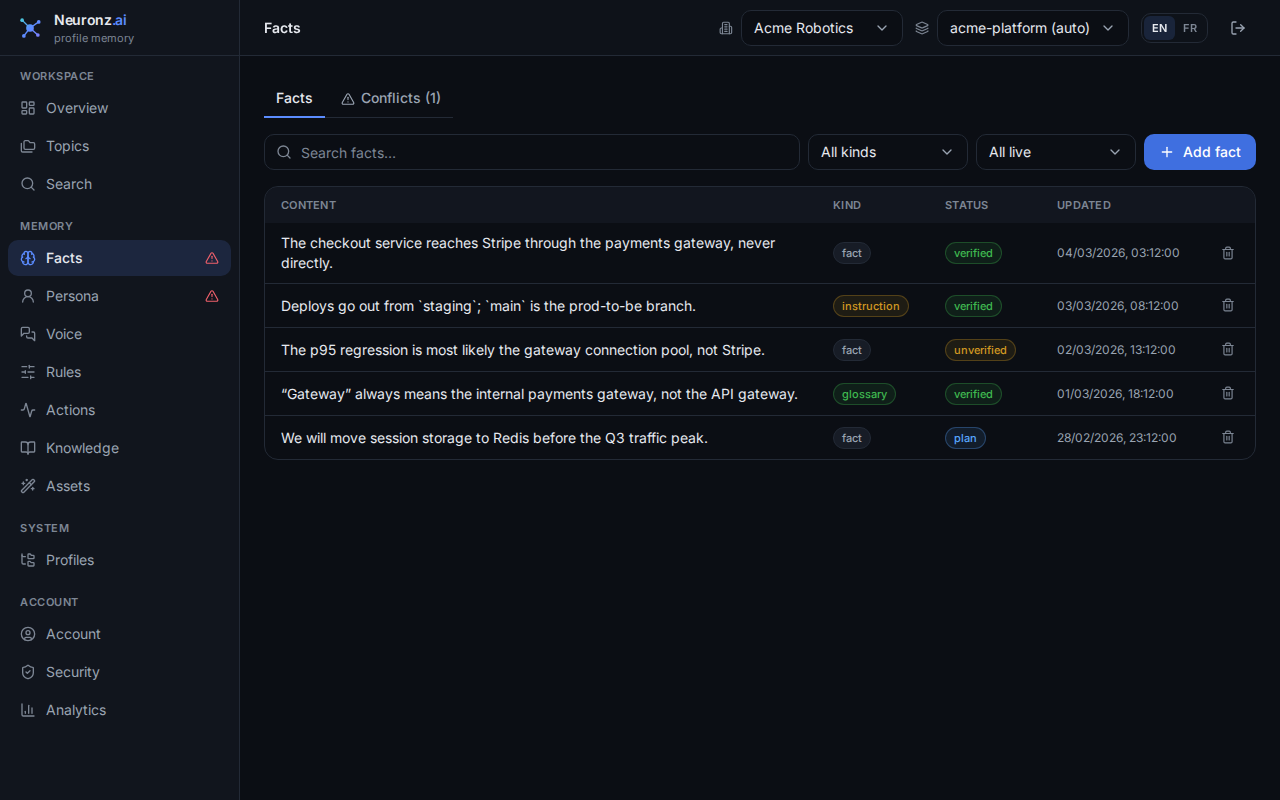
Instructions the repository gives ("always…", "never…") arrive as proposed rules. They do nothing until you approve them on the Rules page.
4. Test it from a fresh session
Close the session and start a new one in the same folder. Ask something only the repository's history or docs know, and keep it from opening files:
without opening any files, answer from Neuronz.ai: how do I run the tests here, and why was the last change reverted?It answers from the records it saved. Run the command again later to refresh them: documents are updated in place, and a fact that changed replaces the old one.
In a chat
Chats have no plugin commands, so /neuronzai:init-profile does not exist there, and a chat cannot open the folder on your computer. Run it in Claude Code or Oh-My-Pi. A chat can then use the result: ask Claude to switch to the repository's profile (it uses switch_profile) and ask your question.
How this differs from Claude Code's /init
Claude Code has its own /init: it analyses your code and writes a CLAUDE.md file into the repository, which Claude Code reads at the start of every session.
Claude Code /init | /neuronzai:init-profile | |
|---|---|---|
| What it produces | One CLAUDE.md file in the repository | Separate facts and documents in your Neuronz.ai memory |
| How it is used | Loaded whole at the start of every session | Searched before each message; only what matches comes up |
| Where it works | Claude Code | Claude Code, the Code tab, Oh-My-Pi, and chats switched to the same profile |
| Who sees it | Everyone who clones the repository, through git | You, in that profile |
| Keeping it current | You edit the file | What you learn while working is saved as you go; run it again to refresh |
| What it reads | The repository | The repository, plus GitHub, Notion and other sources you name |
They combine well. Keep a short CLAUDE.md for the few things every session — and every teammate — must read. Let Neuronz.ai hold the rest: history, decisions, gotchas, and anything you would rather not load in full each time.
For more, see Filling a profile.