
The dashboard
The dashboard is the web app where you read, search and edit everything Neuronz.ai holds. Your agent writes memory as you work; the dashboard is where you look at it, fix it and approve what needs approving.
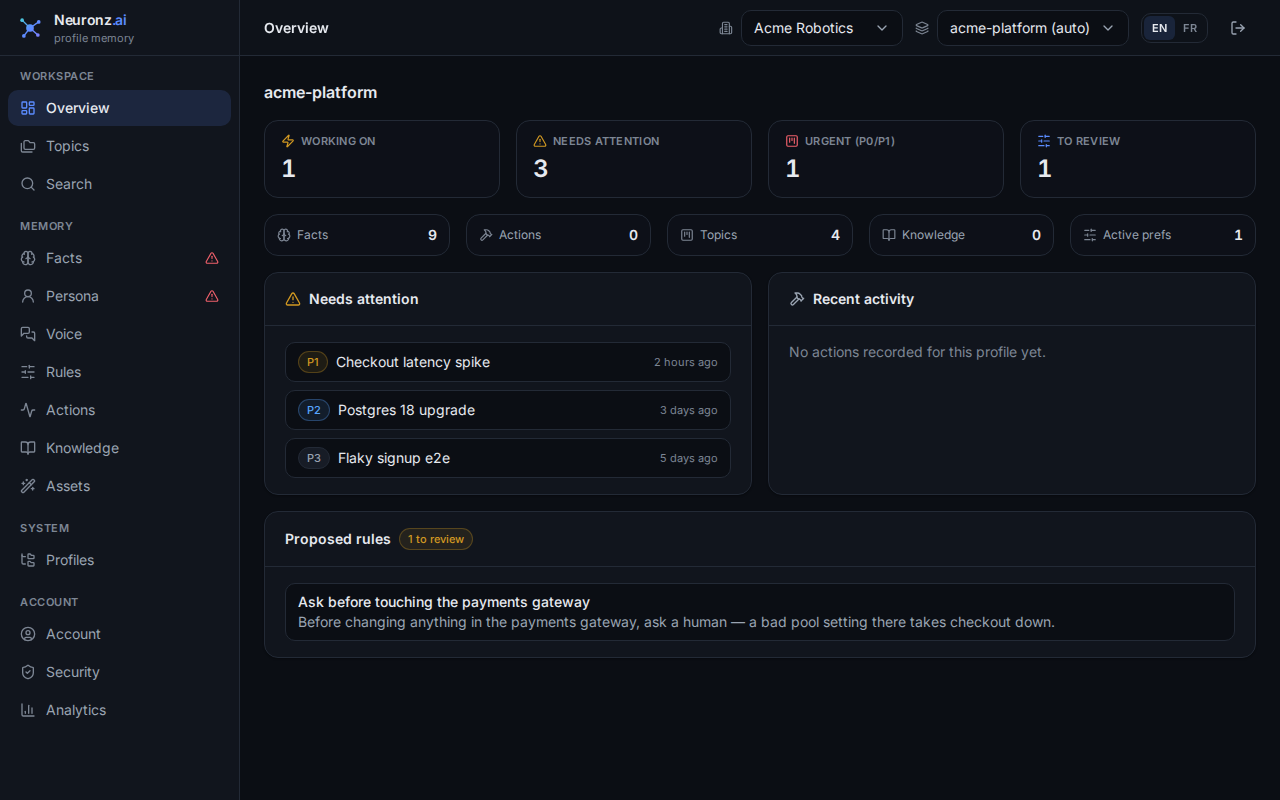
The Overview: what you're working on, what needs attention, and recent activity.
What's in it
The sidebar has one page per kind of record, plus your account pages:
- Overview — what you are working on, what needs attention, and recent activity.
- Facts — browse, search, edit and correct persistent memory. Its Conflicts tab holds facts that contradict each other until you settle them.
- Persona — what is known about you and the people you work with, each with a summary and traits. Contradictions between persona traits have their own Conflicts tab here.
- Voice — how your writing should read in different situations; see Voice.
- Rules — review and approve your rules, including ones the agent proposed.
- Actions — the past work your sessions recorded.
- Knowledge — write and organize your docs.
- Assets — manage the skills, commands and subagents delivered to your sessions.
- Topics — ongoing work as a list or a kanban board; see Topics.
- Search — search your memory by hand, the way recall does.
- Profiles — which folders map to which memory, and which profile is your default chat profile: the profile new chats and Cowork tasks in the Claude app (and on claude.ai) use until they pick one. See Profiles.
- Account — your name, email and password, and deleting your account.
- Security — two-factor authentication, your active sessions, and API keys.
- Analytics — how your sessions use Neuronz.ai and your stored skills.
Facts and Persona show a warning icon in the sidebar while they have open conflicts. Hover it to see how many; open the page's Conflicts tab to settle them.
Each account has one personal workspace. The profile switcher at the top of the page chooses which profile's records you are looking at.
Using it
Sign in at https://app.neuronz.ai. A typical use: your agent proposes a rule during a session, you open Rules, read it and approve it, and from then on every session in that profile follows it. A fact you correct here is what recall returns in every later session.
Related
- Topics & topic mode — the kanban board that lives here.
- Usage analytics — the Analytics page.