
Topics & topic mode
A topic is a long-lived thread of work: a recurring issue, an ongoing investigation, a piece of work that spans many sessions. When the same problem comes back, your agent adds to the existing topic instead of starting a new note, so you get one place that gathers everything known about it.
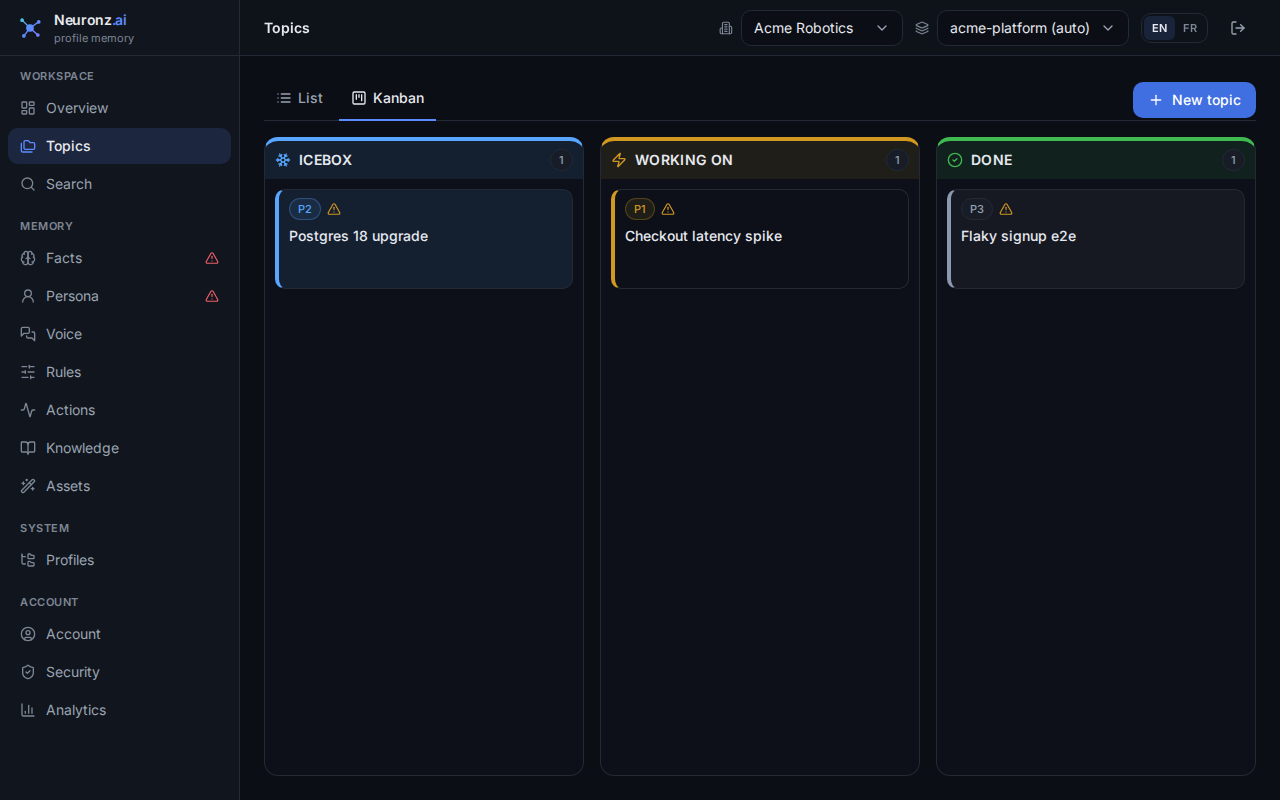
The Topics board: task topics move from Icebox to Working on to Done, each card showing its priority.
Two kinds of topic
Every topic is either a task or info:
- A task is work with a finish line. It has a priority (P0 to P3), a status (icebox, working on, done) with its history, and links to the pull requests and tickets involved. Tasks appear on the board.
- An info topic is something you're tracking, such as a reference area or notes you're gathering. It has no priority and no status, so it stays off the board and appears in its own list.
A large project is a task epic (see below) with smaller sub-topics under it.
Working on a topic (topic mode)
Topic mode means your session is working under one topic. To start, tell your agent something like "let's work on the billing migration" or "enter topic mode on the Sentry cleanup". Your agent finds the topic (and asks you before creating one if none fits), loads its summary, and makes it the session's active topic. While a session is in a topic:
- Your agent is reminded of the topic on every prompt, and records from that topic rank higher when it searches your memory.
- Facts and past work saved during the session are filed under the topic.
- In Claude Code (in the terminal) and Oh-My-Pi, the status line shows
🎯 <topic title>, and clears it when you leave. The Claude desktop app does not show it. See harness parity.
Topic mode belongs to one session: two sessions in the same repository can each work on a different topic. It ends when you say you're done with the topic (your agent then refreshes the topic's summary with what the session did) or when the session ends. A resumed session starts outside any topic; ask your agent to enter it again.
The board
The Topics page of the dashboard shows task topics as a board: drag a task between icebox, working on and done, set its priority, and see all open work at a glance. Info topics are in the list below it, not on the board.
Your agent offers to close a task that's done. When a task's work looks finished, for example its pull requests are merged, your agent offers, in one line, to mark it done. It only offers; closing is your call.
How topics grow
Recurrences are grouped by your agent. When something comes back, your agent adds it to the matching topic and bumps its occurrence count rather than creating a duplicate. Your agent judges whether two occurrences are the same problem, so related flare-ups land on one thread even when worded differently.
Epics group related threads. A big piece of work, such as migrating a whole monitoring stack, covers several smaller threads (move the logs, move the dashboards, move the alerts). Mark one topic as the epic and file the others under it as sub-topics. On the board the epic shows how many sub-topics it has and keeps them in a collapsible group under its card. A sub-topic keeps its own priority, status and links; nesting only adds the parent. Nesting is one level deep.
Related topics link sideways. When two threads are related but neither owns the other, link them with "relates to" on the knowledge graph. Each topic's detail panel then lists the other under related topics.
The summary keeps up. A topic's summary is what a new session reads to catch up. Whenever a fact, an action, a knowledge doc or a link is filed under a topic, your agent is handed the topic's current summary and how many records have landed since it was last written, and it refreshes the summary in the same turn. Bumping a recurrence or moving a card on the board doesn't change the summary.
Topics and recall
Topics are not returned by auto-recall, which covers facts, past actions and knowledge docs. A topic's title and status can be listed next to recall as a related thread, and your agent opens the topic to read it.
MCP tools
- Topics:
create_topic,get_topic,list_topics,update_topic,delete_topic,touch_topic(bump a recurrence),add_topic_tags,remove_topic_tags. To nest a topic under an epic, set itsparentId; setparentIdtonullto move it back to the top level.get_topicreturns the parent, the sub-topics and the related topics. - Topic mode:
enter_topic,exit_topic,current_topic. - Related topics:
linkandunlinkwith therelates_torelationship.
See MCP tools.
Example
The same intermittent timeout shows up again. Your agent finds the existing topic and bumps it instead of opening a sixth note, and the thread now reads "seen 6 times", with the earlier investigation, the pull request that half-fixed it and the ticket still open, all in one place you can prioritize on the board.
Related
- Keep a piece of work in one topic: the step-by-step tutorial.
- The dashboard: where the board lives.
- The knowledge graph: linking a topic to related work.